Home About Products FSV Partner Portal Nova AI Services Industries Get in Touch
Product · Nova AI

Your local AI
coding sandbox.

A fully local, privacy-first AI coding environment. Build complete apps, run a live terminal, and preview in real time — everything runs on your hardware. No internet required.

100%
Local & Private
0
Cloud Dependency
6
AI Agent Roles
Nova AI
Starting…
What's Inside Nova AI

Everything you need to build. Nothing leaves your machine.

Six core capabilities working together — intelligent multi-agent planning, live terminal, real-time preview, and persistent memory — all running locally on your own hardware.

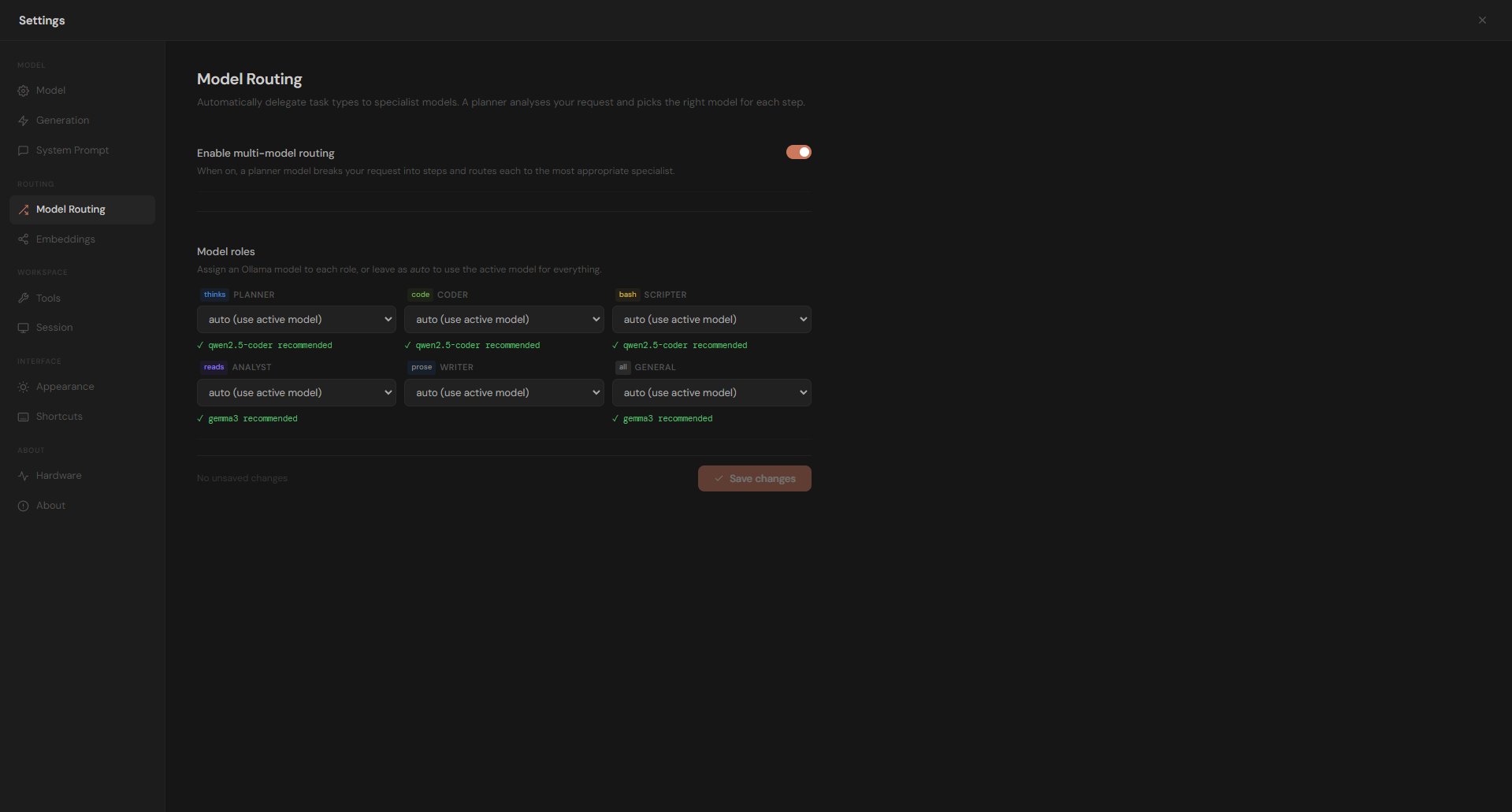
Multi-Agent Routing

A Planner model breaks every request into steps and routes each to the right specialist — Coder, Scripter, Analyst, Writer, or General. Each agent uses the best model for its role.

Live Terminal

A real shell runs alongside your chat. Install packages, execute scripts, run migrations, and see output immediately — Nova can also run commands autonomously to complete your task.

Real-Time Preview

A built-in browser panel serves your app locally as it's built. React, HTML, Node.js — see the result immediately. No manual refresh, no separate browser required.

Full App Development

Scaffold complete projects from a single prompt — React apps, Flask APIs, Node.js services, dashboards. Nova writes working code, installs dependencies, and runs the project for you.

Semantic Memory

Nova stores persistent memories using LanceDB vectors and SQLite. It searches your workspace files semantically — finding relevant context across sessions to give more accurate answers.

Fully Private — No Cloud

Zero outbound requests to AI providers. All inference runs locally via Ollama. No API keys, no telemetry, no data leaving your machine. Safe for regulated and confidential codebases.
The Interface

A complete workspace. One window.

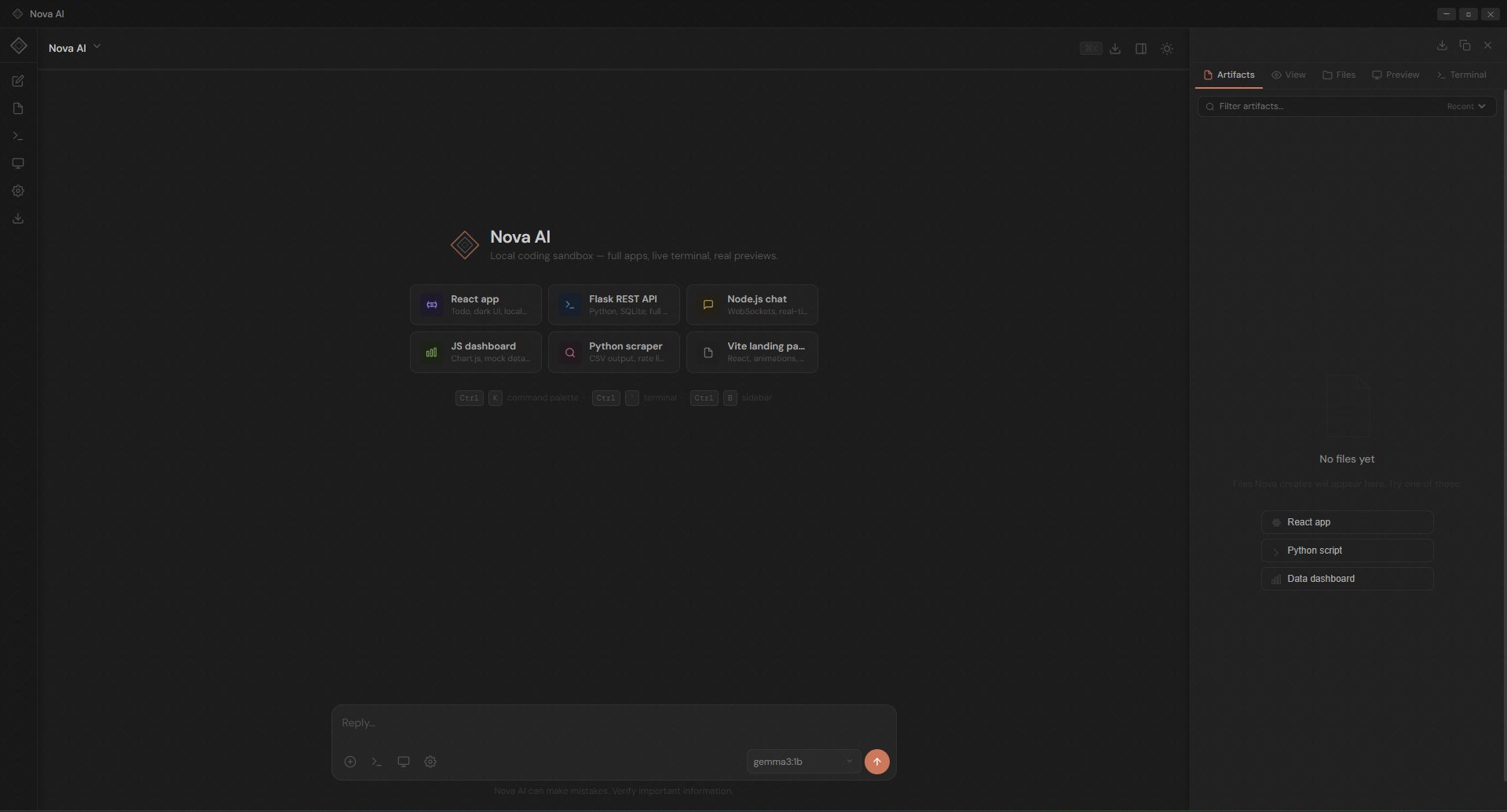
Nova gives you everything in one place. Chat on the left, files and artifacts in the right panel — with Artifacts, Files, Preview, and Terminal all one click away. No setup, no configuration.

  • Prompt suggestions to get started fast
  • Inline tool steps show every file write and command executed
  • Model badge shows which AI agent generated each response
  • Switch models mid-conversation without losing context
Nova AI main interface
Nova AI · Main Interface
Building in Action

Scaffold a full app. From one prompt.

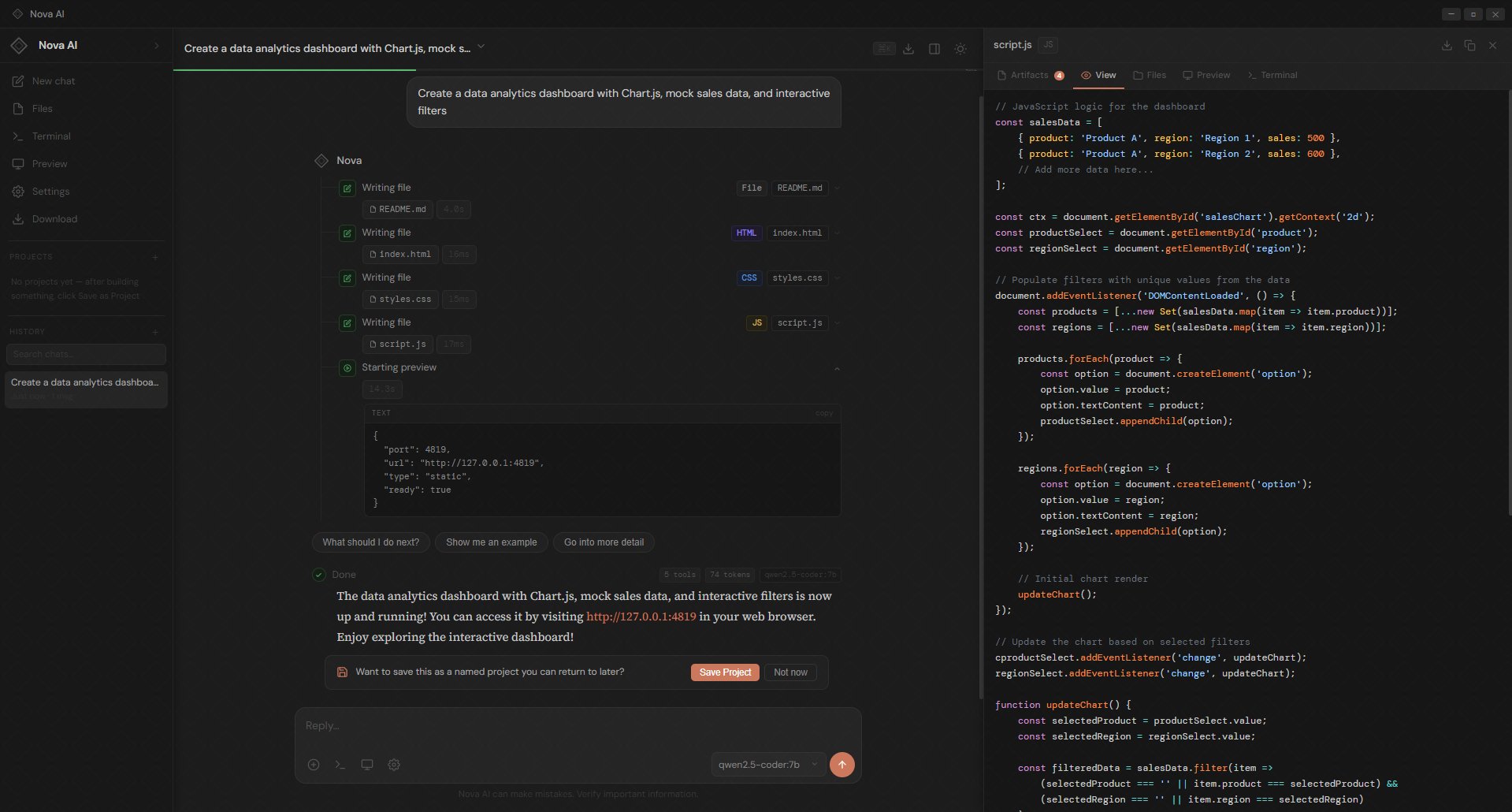
Ask Nova to build a dashboard, a REST API, a scraper — and it plans the work, writes every file, installs dependencies, and serves a live preview. You watch it happen step by step.

  • Writes complete files — no truncated placeholders or stubs
  • Runs npm install and pip install automatically
  • Starts a local server and opens it in the Preview panel
  • Save as a named project to pick up where you left off
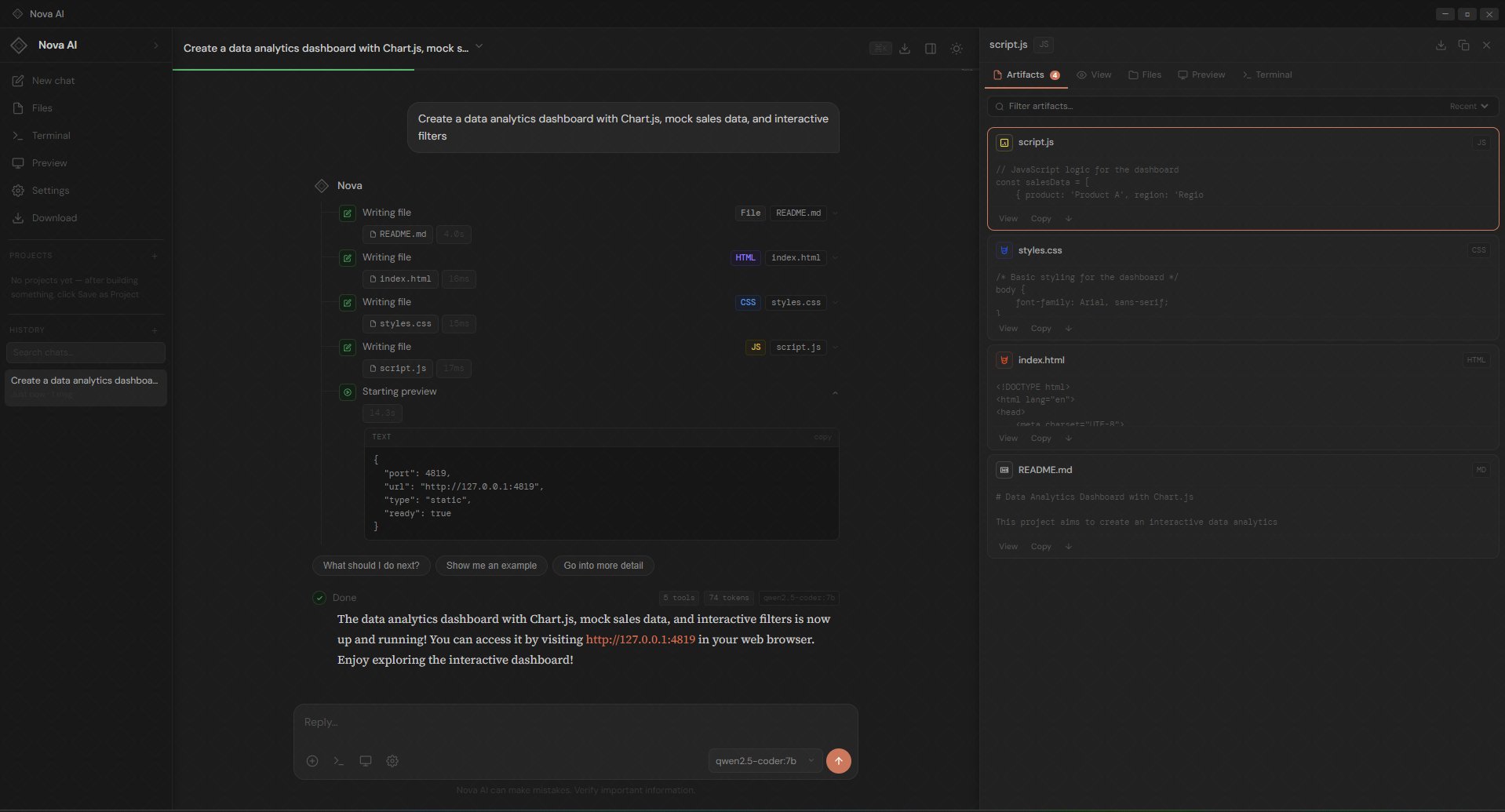
Nova AI building a data analytics dashboard
Nova AI · Building a Data Analytics Dashboard
Artifacts & Files

Your code. Organised.

Every file Nova writes appears in the Artifacts panel instantly. Switch to Files to browse your workspace directory, or View to read the raw source. Download the whole project as a zip in one click.

  • Artifacts panel lists every generated file with syntax preview
  • View, Copy, or open any file directly from the panel
  • Full workspace directory browser with file tree
  • Download the entire project as a zip from the toolbar
Nova AI artifacts and files panel
Nova AI · Artifacts & Files Panel
Live Preview

See it running. Instantly.

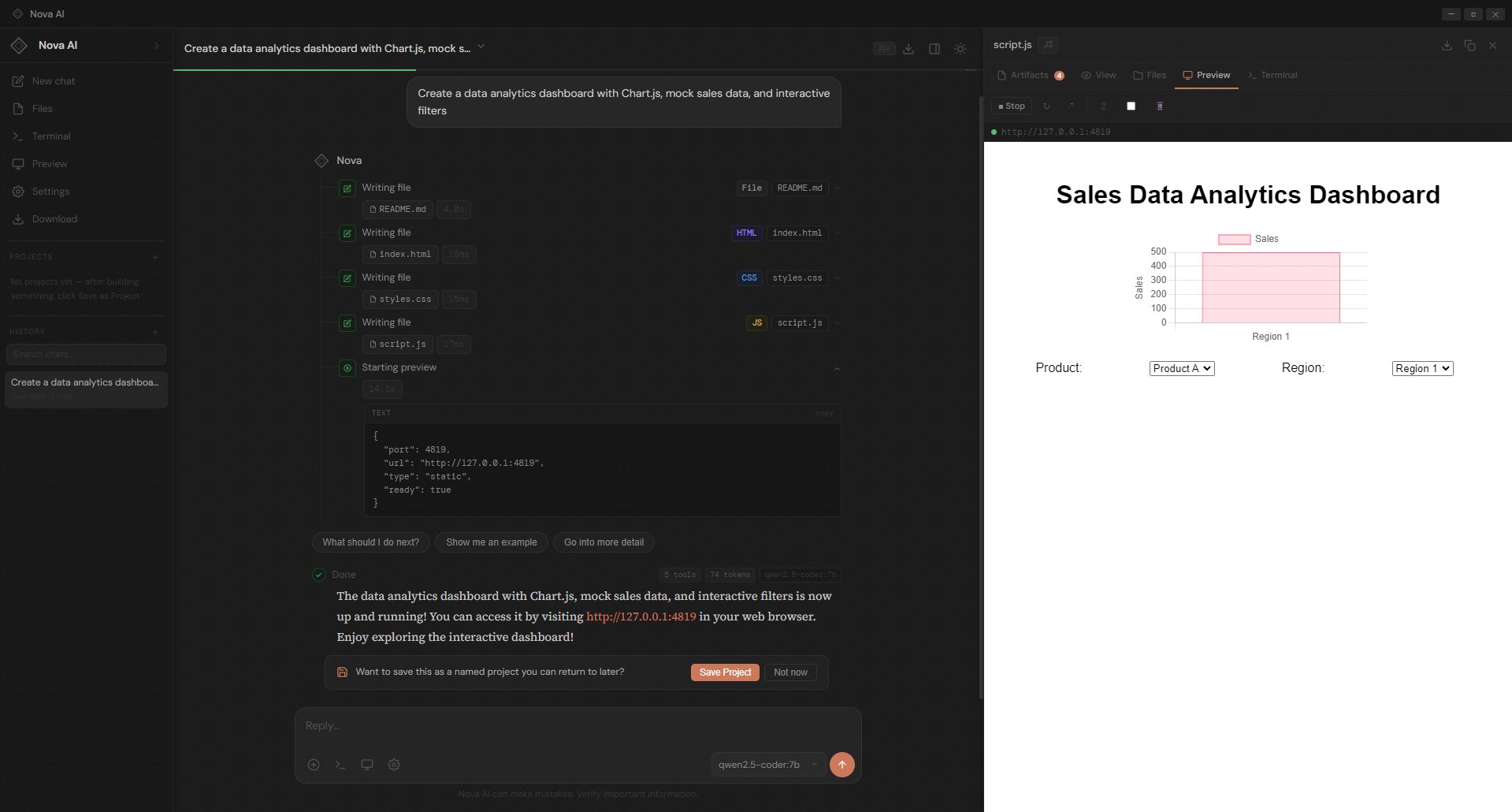
The Preview panel serves your app locally as soon as Nova finishes building it. No switching to a browser, no manual refresh — a live, interactive window right inside the app.

  • Serves static sites, React apps, and Node.js backends locally
  • URL bar shows the local address for external browser access
  • Stop and restart the server from the toolbar at any time
  • Preview updates as Nova edits and saves files mid-task
Nova AI live preview panel
Nova AI · Live Preview Panel
Command Palette

Everything at your fingertips.

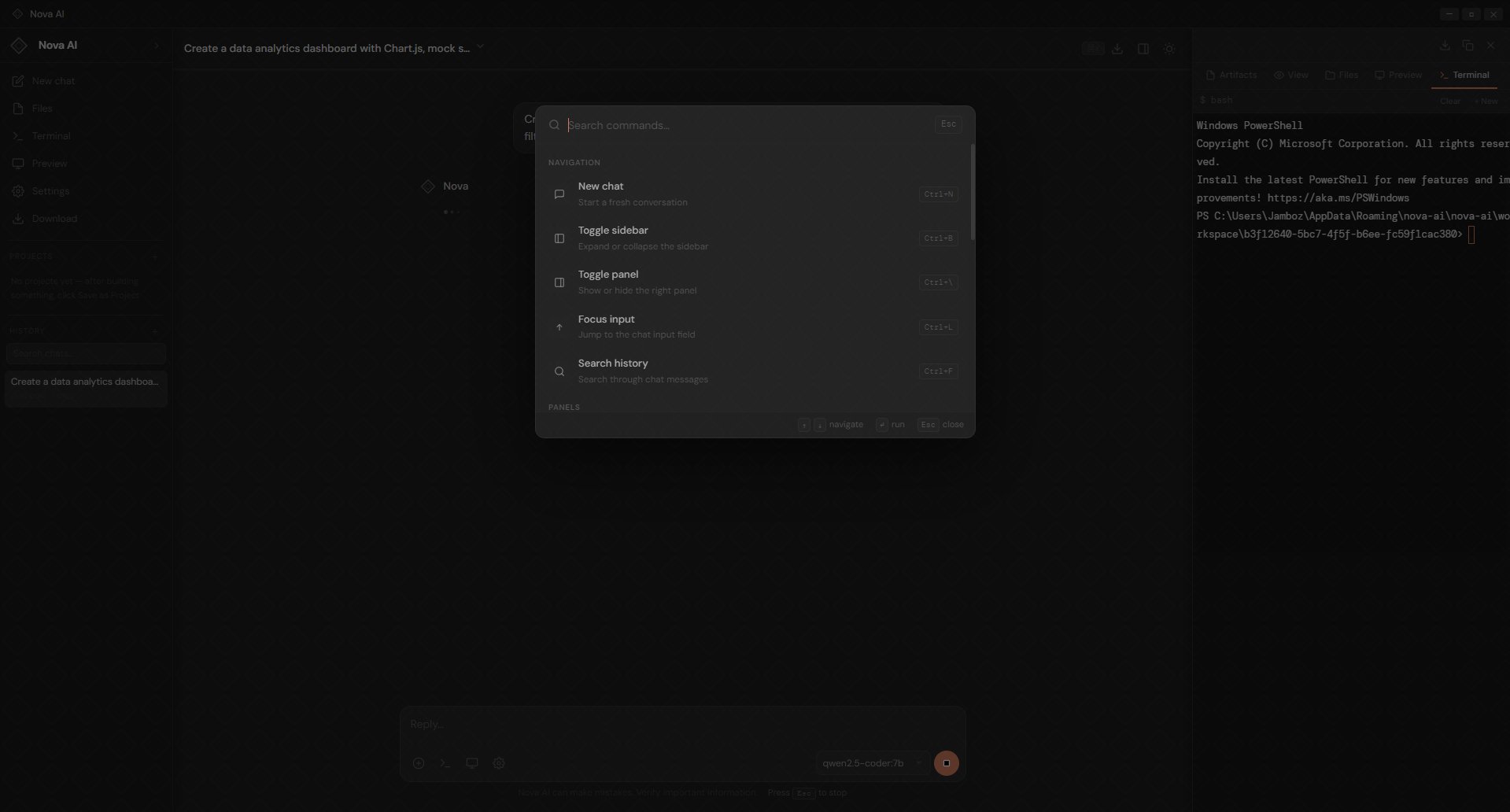
Press Ctrl+K from anywhere in the app. Jump to a new chat, toggle the sidebar, search your conversation history, or focus the input — without taking your hands off the keyboard.

  • Ctrl+K opens instantly from anywhere in the interface
  • Navigate with arrow keys, run with Enter, close with Esc
  • Search history finds messages across all past conversations
  • Toggle sidebar and panel layout without the mouse
Nova AI command palette
Nova AI · Command Palette
Settings & Configuration

Fine-tune everything. Your way.

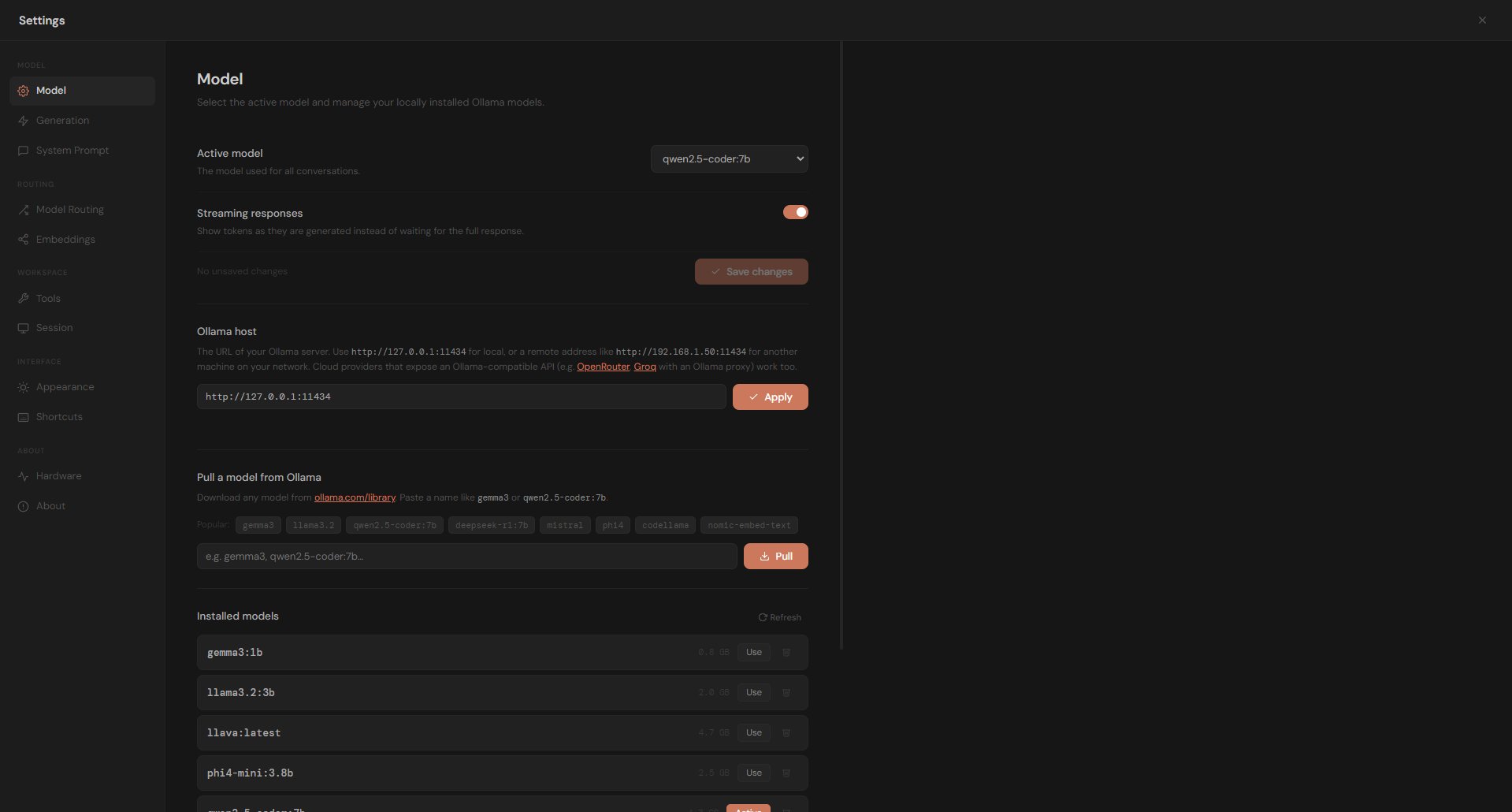
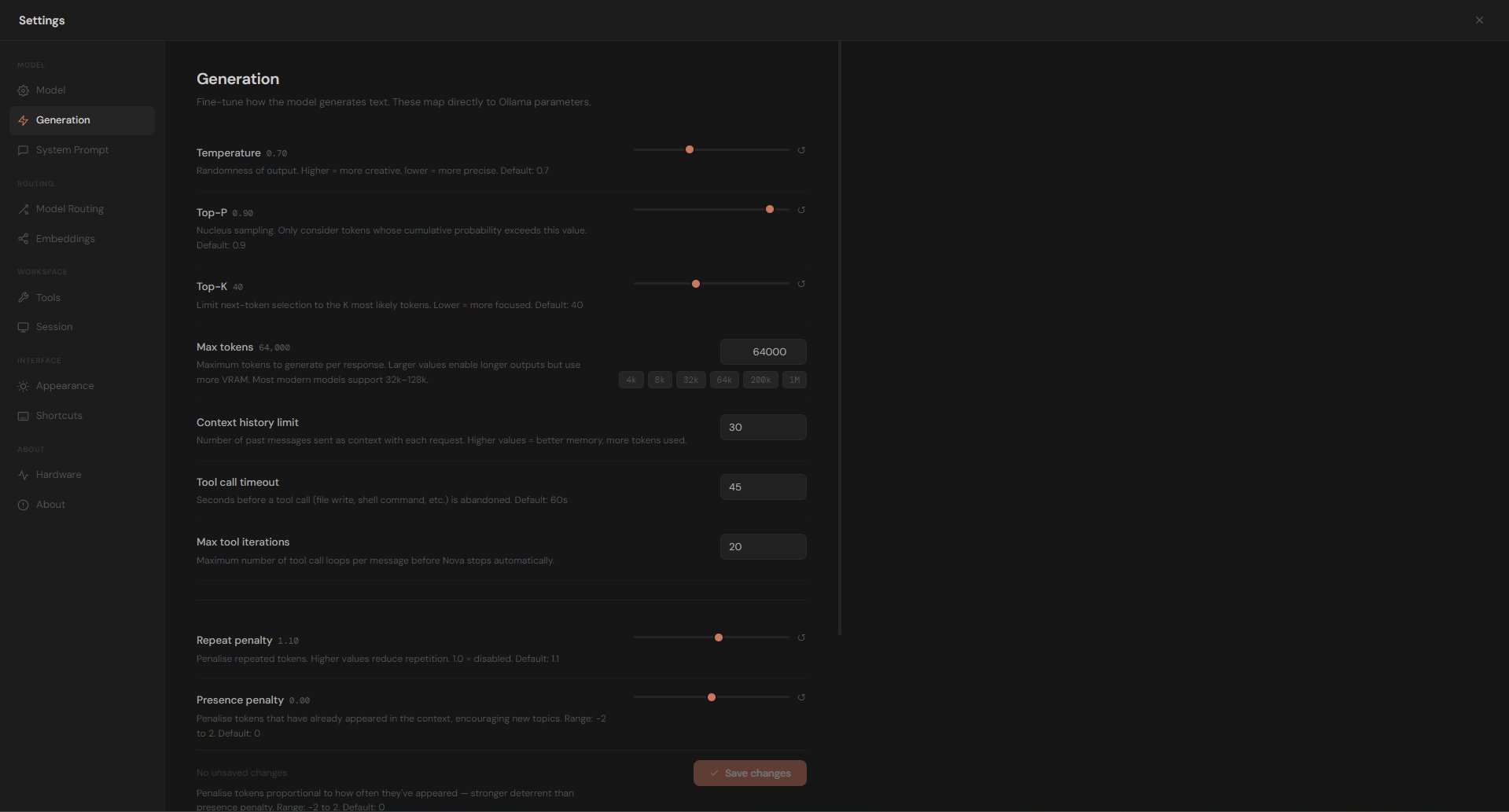
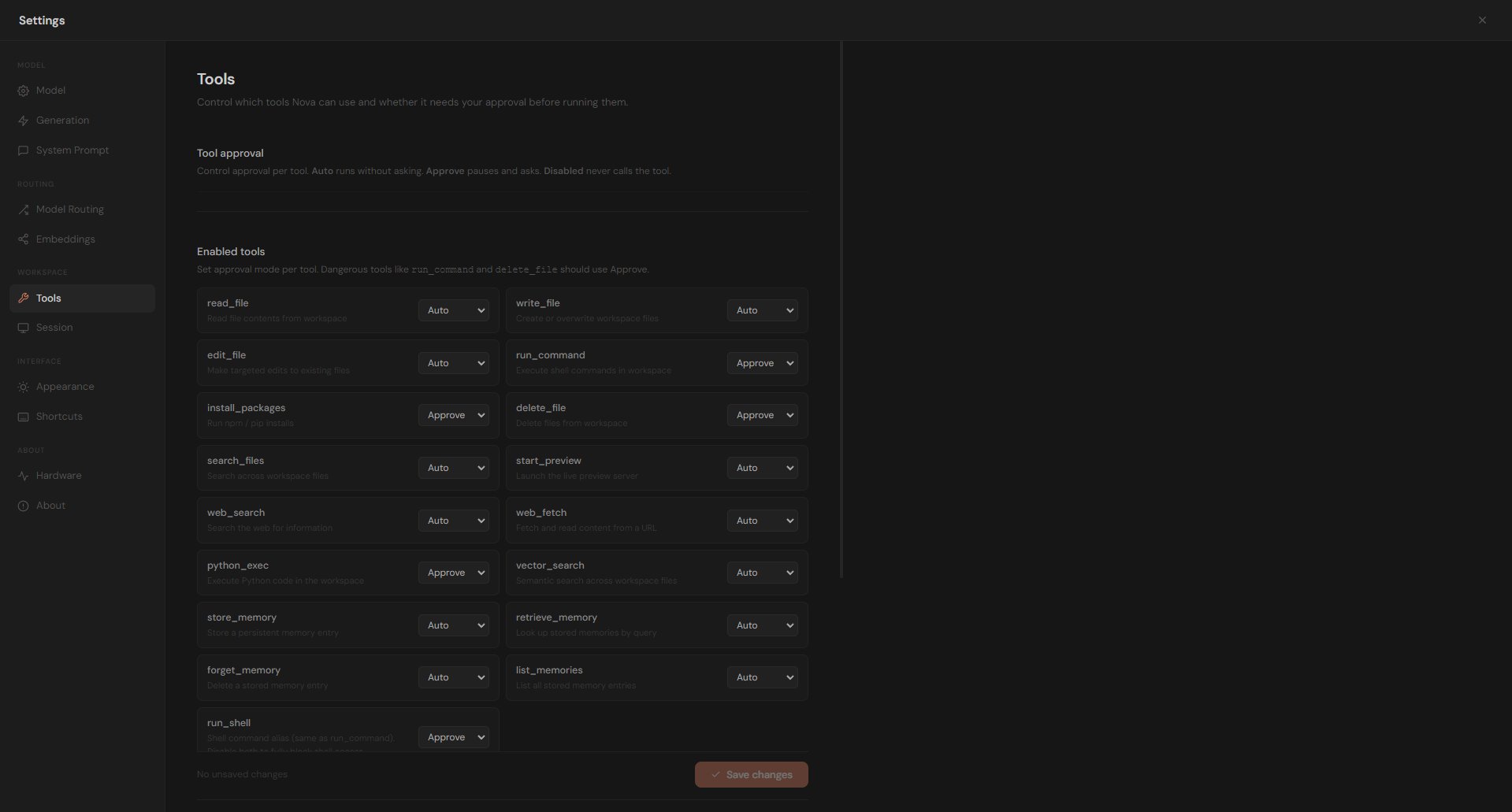
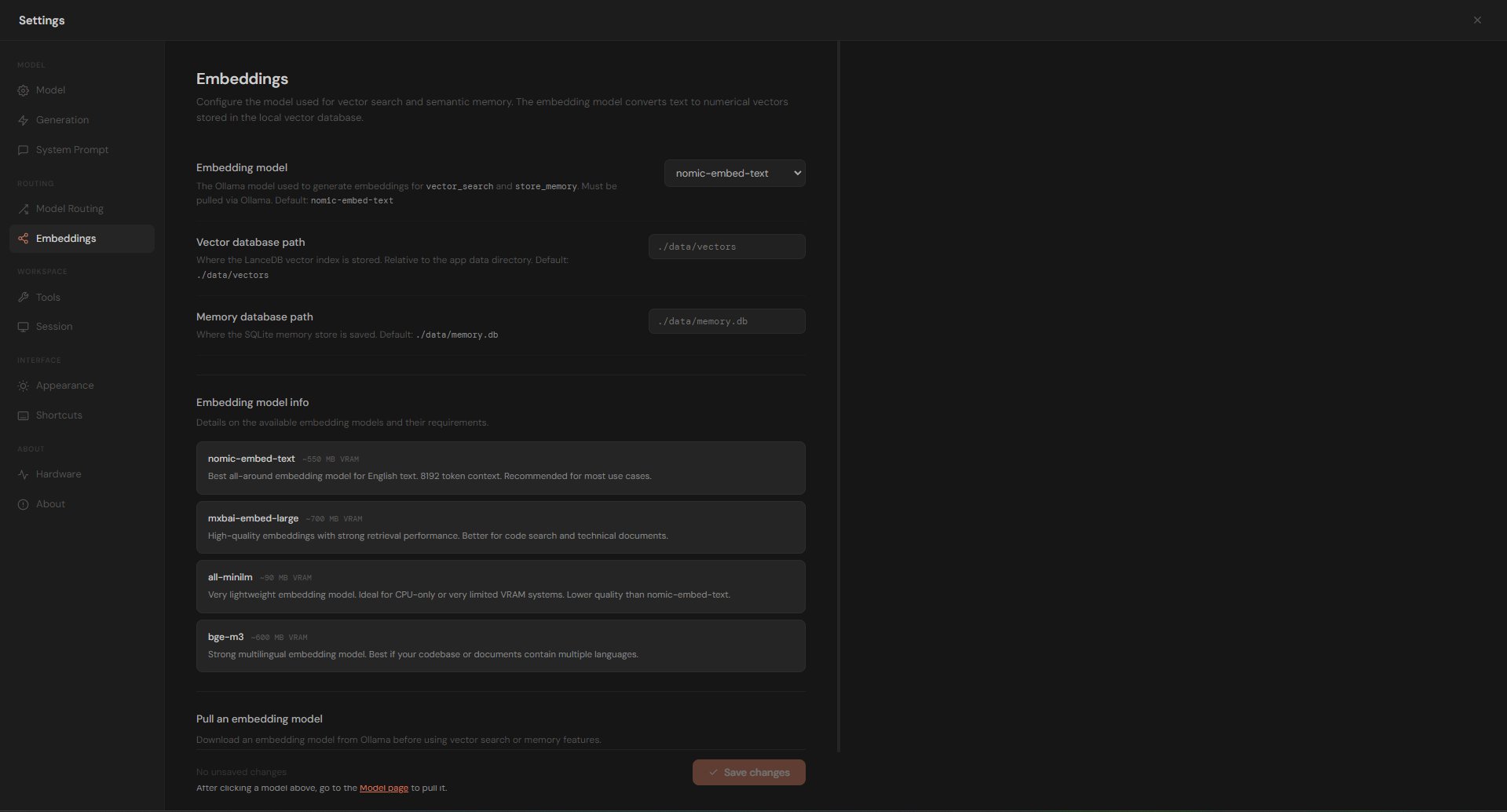
Nova's settings panel puts full control in your hands — choose your models, tweak generation parameters, configure multi-model routing, manage tools, and customise the interface down to the accent colour.

  • Swap or pull any Ollama model without leaving the app
  • Adjust temperature, Top-P, Top-K, and token limits per session
  • Route tasks to specialist models — Coder, Scripter, Analyst, Writer
  • Control tool approval: Auto, Approve, or Disabled per tool
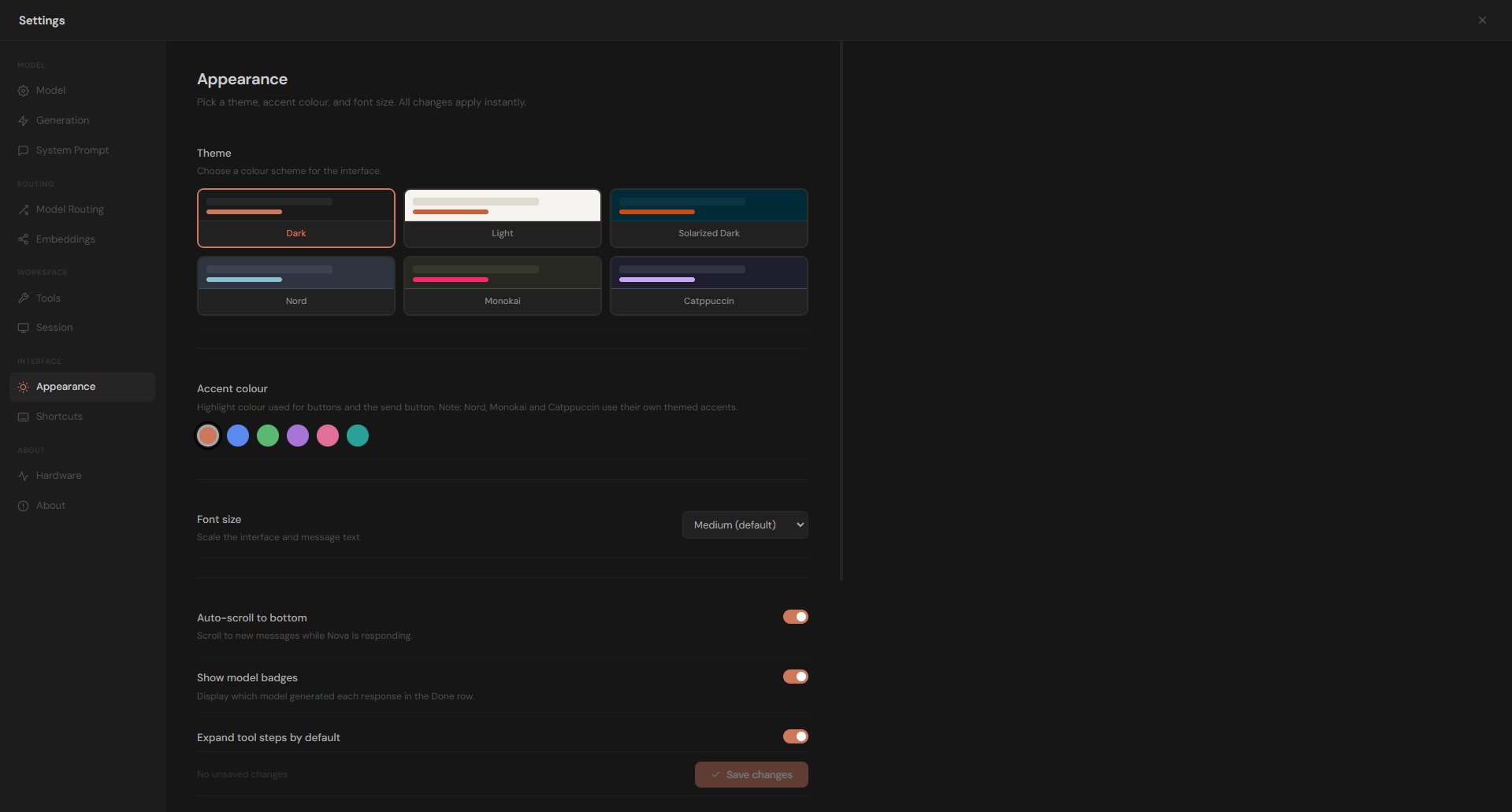
  • Six built-in themes with custom accent colours and font sizes
  • Configure vector embeddings and memory database paths
Nova AI model settings panel
Nova AI · Model Settings

Ready to build with full privacy?

Get in touch to request a demo or ask about licensing Nova AI for your team or organisation.